















THE EVOLVED EDIT
Does Wireless Charging Work Through a Phone Case?
Wireless charging works through many phone cases. Learn how thickness, metal, magnetic alignment, loose objects and heat affect performance.
The short answer
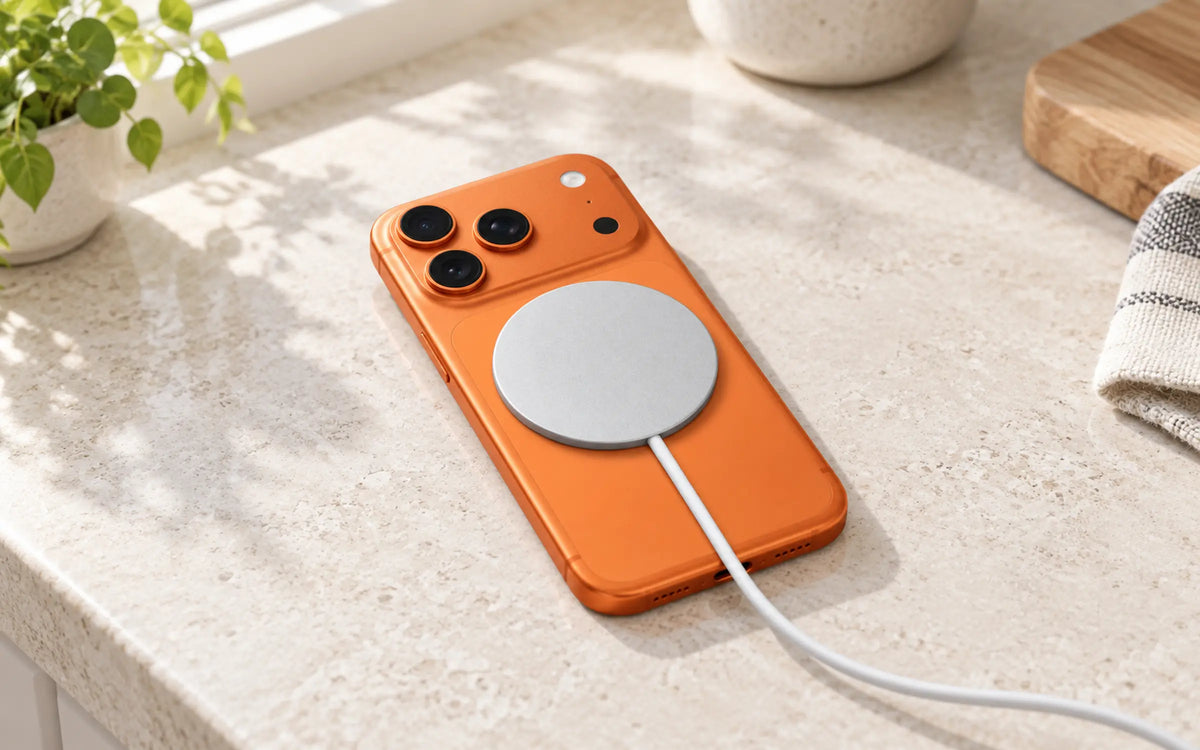
Yes, in most cases. A slim, correctly aligned case designed for MagSafe or Qi2 should allow a compatible phone to charge without removing it. Thick cases, metal cases or plates, battery cases, card holders, loose objects and misaligned magnetic rings can slow or stop charging. If charging fails, remove the case first to isolate the cause.
How does wireless charging work through a case?
A wireless charger creates an alternating magnetic field in its transmitting coil. A receiving coil inside the phone converts that energy into electrical power. The case sits between those coils, so its thickness, materials and alignment affect how efficiently energy transfers.
MagSafe and Qi2 Magnetic Power Profile accessories add a magnetic alignment system. The magnets do not charge the battery themselves; they help position the coils. Better alignment can make attachment more consistent and reduce the trial-and-error of centering a phone on a flat pad.
A case labeled “magnetic” is not automatically optimized for charging. Its ring must be positioned correctly for that phone model, and the material between the coils still matters.
What can stop wireless charging through a case?
| Cause | What you may notice | What to do |
|---|---|---|
| Case is too thick | Charging starts and stops, or never starts | Test without the case; switch to a thinner charging-compatible case |
| Metal plate or ring | No charge, excess heat or foreign-object warning | Remove the plate; use the charger's intended magnetic system |
| Cards or wallet | Weak attachment or interrupted charging | Remove the wallet and cards before charging |
| Poor alignment | Slow or inconsistent charging | Re-center the phone or use a correctly aligned magnetic case |
| Heat | Charging becomes slower or pauses | Move the setup to a cool, ventilated surface and let it cool |
| Incompatible phone or charger | No wireless-charge indicator | Check both manufacturers' exact model lists and software requirements |
Apple specifically advises removing thick, metal or battery cases when a phone charges slowly or does not charge. It also warns against placing items such as magnetic mounts, cases, keys, coins or security badges between an iPhone and charger.
Which phone cases work best with wireless charging?
MagSafe- or Qi2-aligned cases
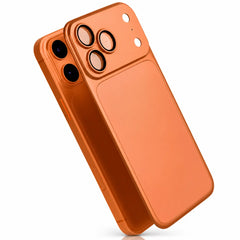
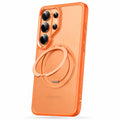
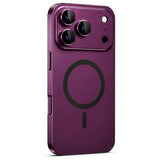
For magnetic chargers, choose a case built for the exact phone with a correctly positioned magnetic ring. This supports secure attachment and coil alignment. Browse Evolved magnetic iPhone cases by model rather than choosing only by outside dimensions.
Thin clear cases
A slim clear case can minimize the distance between coils. The MagCase Clear is listed at approximately 1.5mm with an integrated magnetic ring; exact weight and fit vary by phone model.
Silicone cases
Silicone itself is generally not the problem. Construction, thickness and ring alignment matter. The MagCase Soft combines a liquid-silicone exterior, soft lining and built-in magnets for supported models.
Leather-finish cases
A leather-finish exterior can work with magnetic charging when the internal construction is designed for it. The MagCase Stand — Leather uses a reinforced shell, microfiber lining and rotating magnetic ring. Always check the exact model's specification.
Metal cases and bumpers
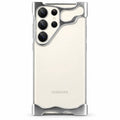
Metal can interfere when it covers the area between the charging coils. A product engineered around magnetic charging may place metal around the perimeter while preserving the required charging path, but the design must be evaluated as a whole. Do not assume any metal case will charge wirelessly because it attaches to a magnet.
Does case thickness reduce wireless charging speed?
Increasing the distance between the transmitter and receiver can reduce coupling efficiency. That does not create a universal thickness limit because phones, chargers, case materials and coil designs differ. A claim such as “charges through 8mm” should not be treated as a guarantee for every combination.
The reliable approach is to use a purpose-built case, verify the charger's compatibility list and test the actual combination. If the phone charges without the case but not with it, the case or something attached to it is the likely variable.
Wireless charging not working through your case? Try this
- Confirm the basics. Check that the phone supports wireless charging and that the charger is connected to a suitable adapter with an undamaged cable.
- Remove loose accessories. Detach wallets, grips, stands and magnetic mounts. Remove cards, coins, keys and metal plates.
- Remove the case. Place the bare phone on the charger. If it works, the case, an attachment or alignment is the likely cause.
- Re-center the phone. On a flat pad, slowly reposition it. On a magnetic charger, make sure it snaps into the intended position rather than only catching at one edge.
- Check for heat. Let the phone and charger cool, move them away from direct sun and use a firm, ventilated surface.
- Restart and update. Restart the phone and install current system software when the manufacturer recommends it.
- Test one component at a time. If possible, try a known-good cable, adapter and charger to identify the failing part.
- Inspect for damage. Stop using swollen, cracked, wet, frayed or unusually hot equipment and contact the manufacturer.
Why does magnetic charging say connected but charge slowly?
The phone may reduce power because of temperature, a high battery level, optimized charging, power available from the adapter, or the charger's and phone's supported tier. Poor alignment and extra case thickness can also add loss.
Compare the whole chain: adapter output, cable capacity, charger maximum, phone maximum, case, placement and temperature. Our Qi2 vs MagSafe comparison explains why a 25W label is a supported maximum rather than a constant rate.
Is heat during wireless charging normal?
Some warmth is expected because wireless transfer is not perfectly efficient. Excessive heat is different. Apple notes that iPhone software may limit charging above 80 percent when the battery becomes too warm.
Charge on a hard, open surface. Do not cover the phone or charger with bedding, and do not leave foreign objects between them. If either becomes unusually hot, smells abnormal, shows damage or repeatedly stops charging, disconnect it and seek support.
Build a case-and-charger combination
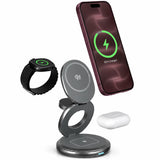
Start with an Evolved magnetic case, then compare magnetic wireless chargers for your exact phone. Compatibility and alignment come before maximum wattage. Use the clear, silicone, leather-finish and metal case comparison to choose the right material.
Frequently asked questions
Do I need to remove my MagSafe case to charge?
Normally, no. A correctly fitted MagSafe-compatible case is designed to remain on the phone. Remove it for troubleshooting if charging is slow, intermittent or absent.
Can I wirelessly charge through a wallet case?
Remove the wallet section and all cards unless the phone, case and charger manufacturers explicitly support that configuration. Cards and extra thickness can interfere, and magnetic fields may affect some card types.
Can I put a magnetic plate inside my case?
Not in the charging path. A generic plate may block power transfer, cause heat or trigger foreign-object detection. Use a case designed for the charger's alignment system.
Will wireless charging damage a case?
Normal warmth can affect some finishes over time, especially if dirt is trapped between surfaces. Follow both manufacturers' care instructions and stop if there is unusual heat or visible deformation.
Why does charging stop at 80 percent?
Temperature management or an optimized battery setting may pause or limit charging. Check the phone's battery settings and the manufacturer's current support guidance.