
















THE EVOLVED EDIT
How Does a MagSafe Wallet Work? Cases, Cards & Charging
Understand how a MagSafe wallet attaches, which cases work, when to remove it for charging, how card capacity varies and why Find My is a separate feature.
The short answer
A MagSafe wallet is a removable card holder that uses magnets to attach to the back of a supported iPhone or a compatible magnetic case. The wallet itself does not charge your phone, add MagSafe to an unsupported device, or automatically provide Find My tracking. For the most reliable hold, use a case designed for magnetic accessories—and remove the wallet before magnetic wireless charging.
1. How does a MagSafe wallet attach?
A magnetic wallet has its own magnet array. Bring it close to the matching area on a supported iPhone or magnetic case and it centers itself against the back of the phone. The magnets provide the physical hold; they do not transfer power to the wallet.
Apple describes its own wallet as attaching with built-in magnets and says it can be placed over a case with MagSafe. That makes the basic order simple: phone, compatible case if you use one, then wallet.
The word MagSafe can refer to both charging products and non-charging accessories. A wallet, stand or simple mount can use magnetic attachment without containing a wireless charging transmitter. Our Qi2 vs MagSafe guide explains why attachment, charging compatibility, charging speed and certification should be checked separately.
2. Will a MagSafe wallet work with a phone case?
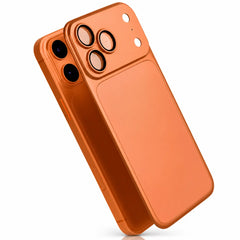
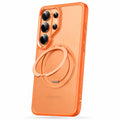
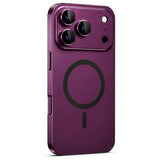
Yes—when the case has a correctly positioned magnetic ring and enough clearance for the wallet. A purpose-built MagSafe case carries the attachment through the case, so the wallet connects to the case's magnets rather than trying to hold through an unassisted layer of material.
Cases most likely to work well
- A case made for the exact phone model.
- A case that explicitly supports MagSafe or compatible magnetic accessories.
- A flat back without a grip, stand, metal plate or raised decoration in the attachment area.
- Enough space below the camera housing for the wallet to sit flat.
Cases that need extra caution
A thin ordinary case may allow some attraction from the phone's magnets, but a weak connection is not a dependable everyday setup. Thick cases, metal-backed cases, adhesive plates and off-center rings can reduce the hold or stop the wallet from sitting flat. “Wireless charging compatible” also does not prove that a case has magnets for a wallet.
If you are choosing accessories for a phone that has not been officially announced, wait for the final device dimensions and compatibility information. Screen size alone does not establish case fit, camera clearance or magnet placement. Use our iPhone case buying checklist after the exact model is confirmed.
3. How many cards can a MagSafe wallet hold?
Capacity is product-specific. Do not assume every magnetic wallet holds the same number of cards. Apple's current wallet information describes support for up to three cards. The current Evolved MagWallet listing describes three card slots with room for up to five cards.
Stay within the maker's stated limit. Overfilling can stretch pockets, keep the wallet from folding flat or make cards harder to remove. If you regularly carry cash, access cards and several IDs, compare the complete load rather than the empty-wallet thickness.
Shielding and card types are separate checks
Apple says its wallet is shielded for credit cards. The Evolved MagWallet listing specifies RFID blocking. Those are product-specific statements, and RFID blocking is not the same claim as protection for every magnetic-stripe card. Hotel keys, transit passes, security badges and specialty cards can use different technologies, so follow the card issuer's guidance when magnets are a concern.
4. Can you wirelessly charge with a MagSafe wallet attached?
Remove the wallet first. A rear wallet occupies the same attachment area needed by a MagSafe charger or magnetic battery. Apple's iPhone User Guide specifically tells users to remove an attached iPhone wallet before placing a MagSafe Charger on the phone.
After removing the wallet, place the charger directly against the supported iPhone or its compatible case. If charging is slow or intermittent, check alignment and try the phone without the case. The wallet should not be sandwiched between the phone and charger.
For the full troubleshooting sequence, see does wireless charging work through a phone case?
5. Does every MagSafe wallet have Find My?
No. Magnetic attachment and location tracking are different features. Apple documents Find My support for specific iPhone Wallet with MagSafe models. A third-party wallet should only be treated as trackable when its own listing explicitly names the tracking network, setup method and required device or app.
The Evolved MagWallet is listed as a magnetic wallet and phone stand; its current product page does not claim built-in Find My tracking. If tracking is important, compare the purpose-built options in the wallets and trackers collection and verify the exact model before ordering.
6. What should you check before buying?
- Phone support: confirm the exact phone has the magnetic system the wallet requires.
- Case support: look for an aligned magnetic ring, not only wireless-charging language.
- Physical clearance: check the camera area and any raised case features.
- Card capacity: count the cards you actually carry and compare the stated limit.
- Charging routine: make sure you are comfortable removing the wallet to charge.
- Tracking: verify Find My or another network separately; magnets alone do not provide it.
- Extra function: decide whether you want only card storage or a folding phone stand too.
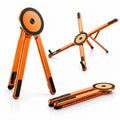
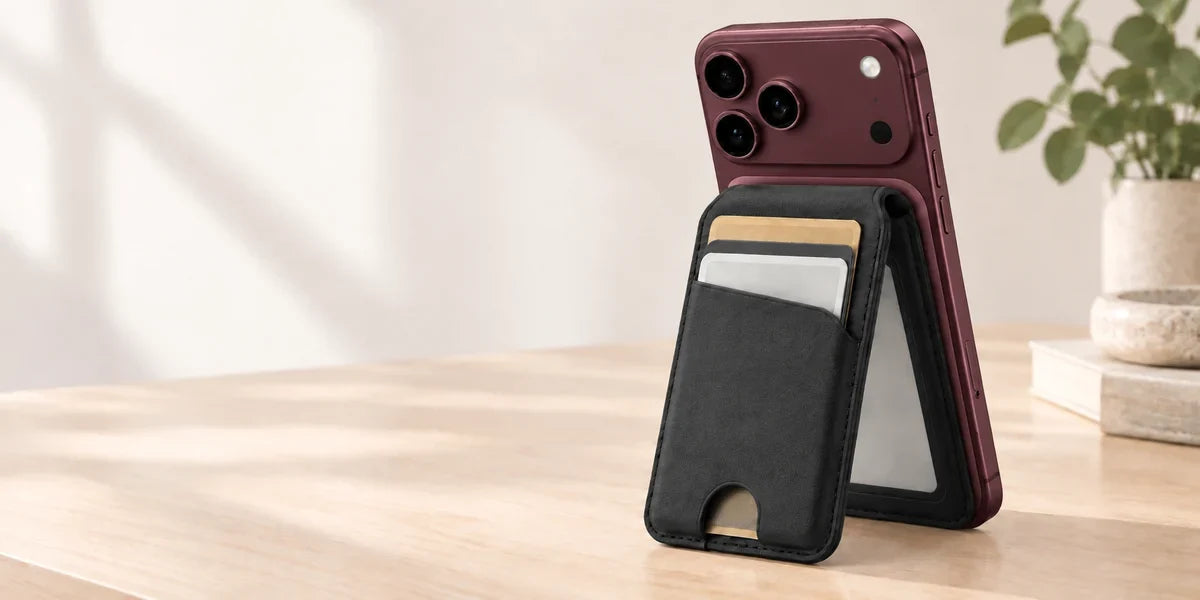
The Evolved MagWallet combines magnetic attachment, three card slots and a folding stand for portrait or landscape viewing. Its current listing states support for up to five cards, a vegan-leather finish and RFID blocking. These are listing specifications, not independent test results.
One wallet, two everyday jobs
Carry your cards with the phone, then unfold the same accessory into a viewing stand. Compare the current MagWallet colors and product details before choosing.
Frequently asked questions
Do I need a MagSafe case for a magnetic wallet?
Use one when your phone is in a case. A correctly aligned magnetic case provides a more dependable attachment than asking the phone's magnets to hold through an ordinary case. Check the case and wallet instructions for your exact model.
Can I leave the wallet on while using a MagSafe charger?
No. Remove the wallet so the charger can sit directly against the supported phone or compatible case. Apple gives the same instruction for its iPhone wallet.
Will a MagSafe wallet damage my cards?
Use a wallet that states how its cards are shielded and follow the issuer's guidance for unusual cards. Do not assume an RFID-blocking claim covers every magnetic stripe, hotel key, transit pass or security badge.
Does a MagSafe wallet charge the phone?
A standard magnetic wallet does not. It uses magnets for attachment. Charging requires a compatible wireless charger or battery and the wallet must be removed from the charging area.
Will my current MagSafe wallet work with my next iPhone?
Possibly, but confirm the new phone's official magnetic accessory support and check physical clearance with its case and camera layout. Do not rely on an unreleased phone's rumored dimensions.